Fire Drill Records
Record participation, evacuation timing, observations, notes and corrective actions. Keep drill history alongside recurring fire-safety records and download drill reports.
 Request a Free Assisted Pilot
 Digital Fire Logbook for Schools, Childcare Centres & Small Facilities
Keep fire drills, recurring checks, deficiencies and photos together, with organized history and downloadable monthly PDF records.
We’ll help configure your first location and get you started with your first records. No credit card required.
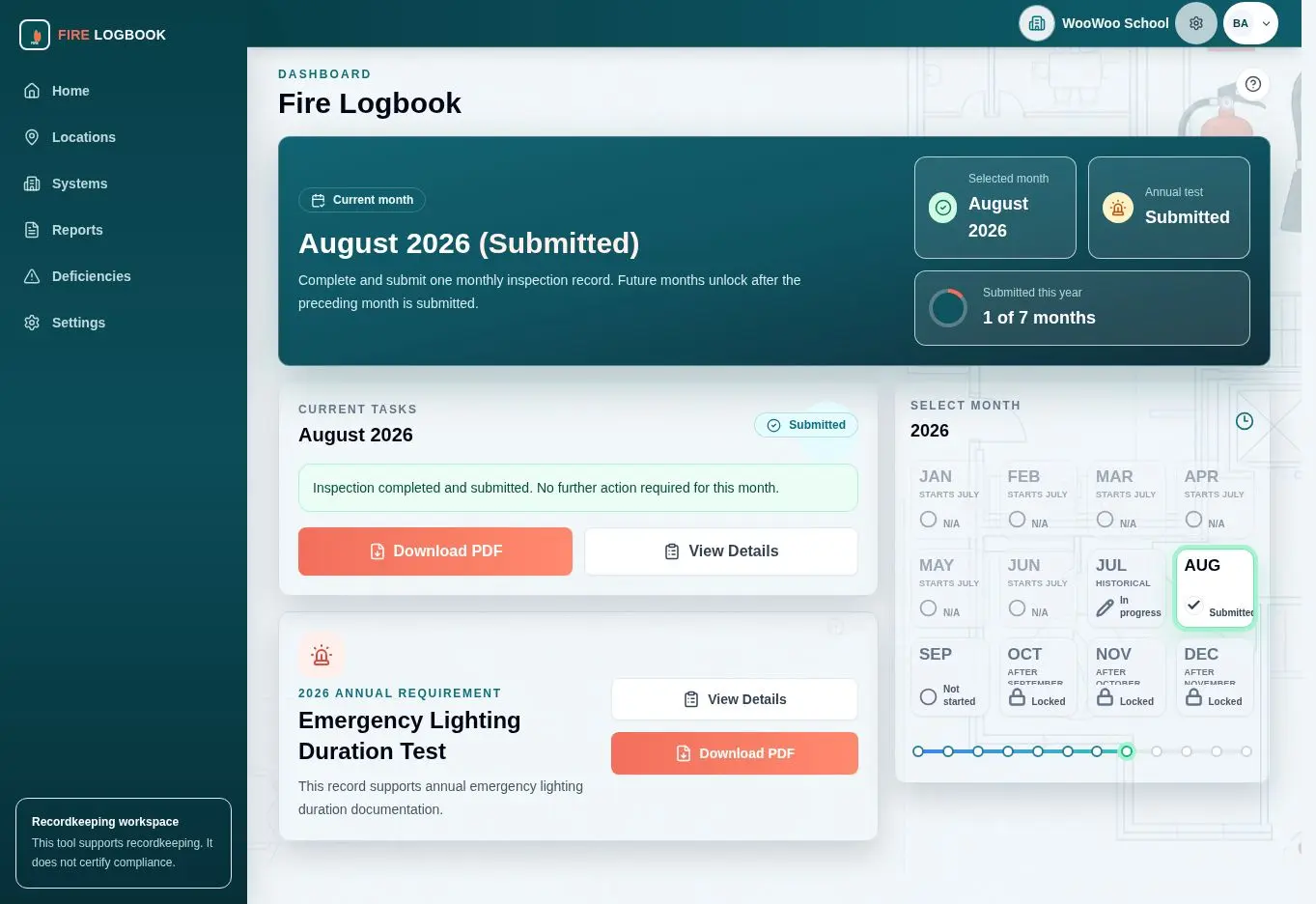
Replace paper fire-safety binders, scattered spreadsheets, loose notes, and separate photos with one organized inspection recordkeeping workflow.
NiktaFire organizes fire drill records, recurring checks, issues, corrective-action context, photos, locations, completion status, inspection history, and downloadable monthly records.
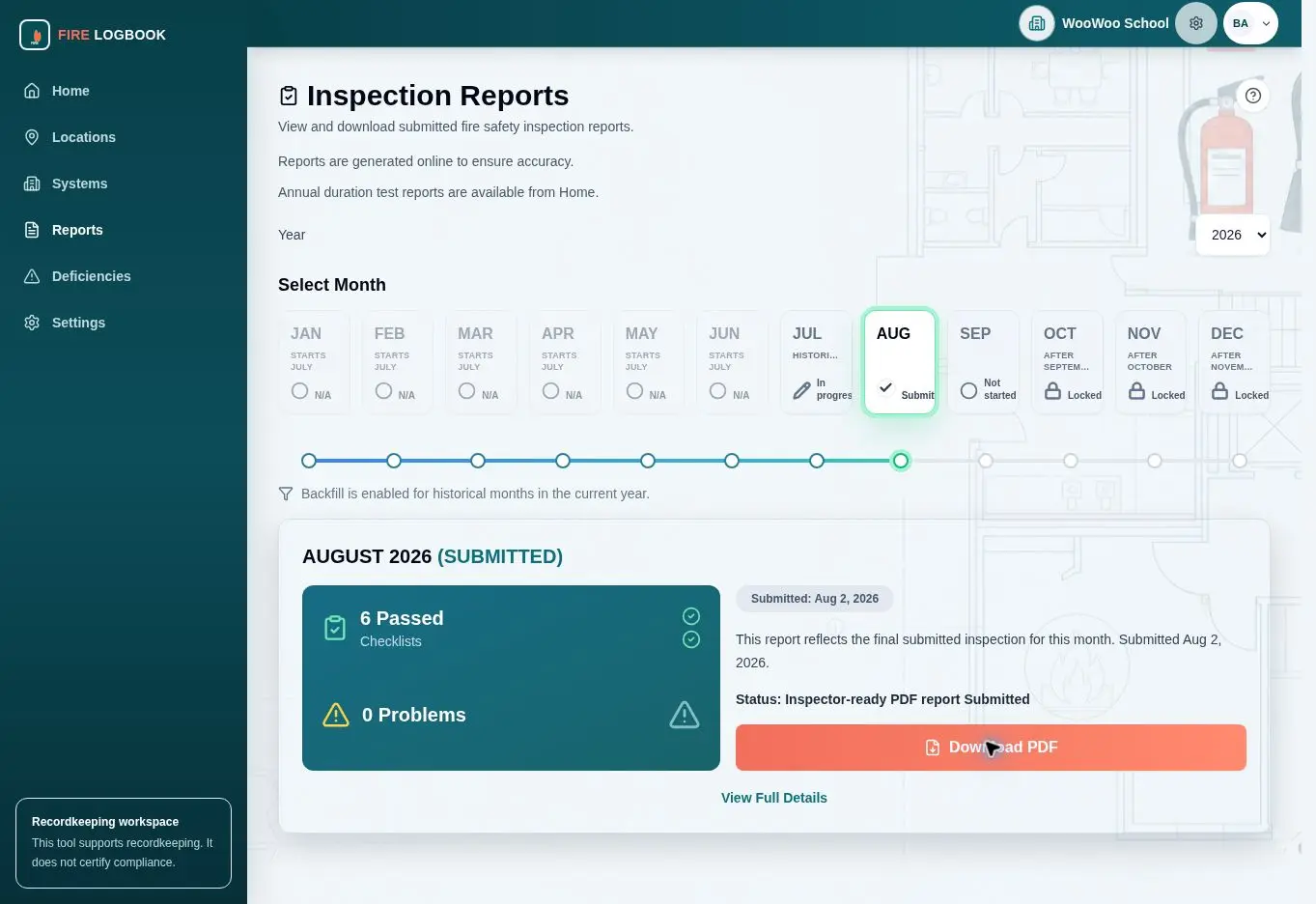
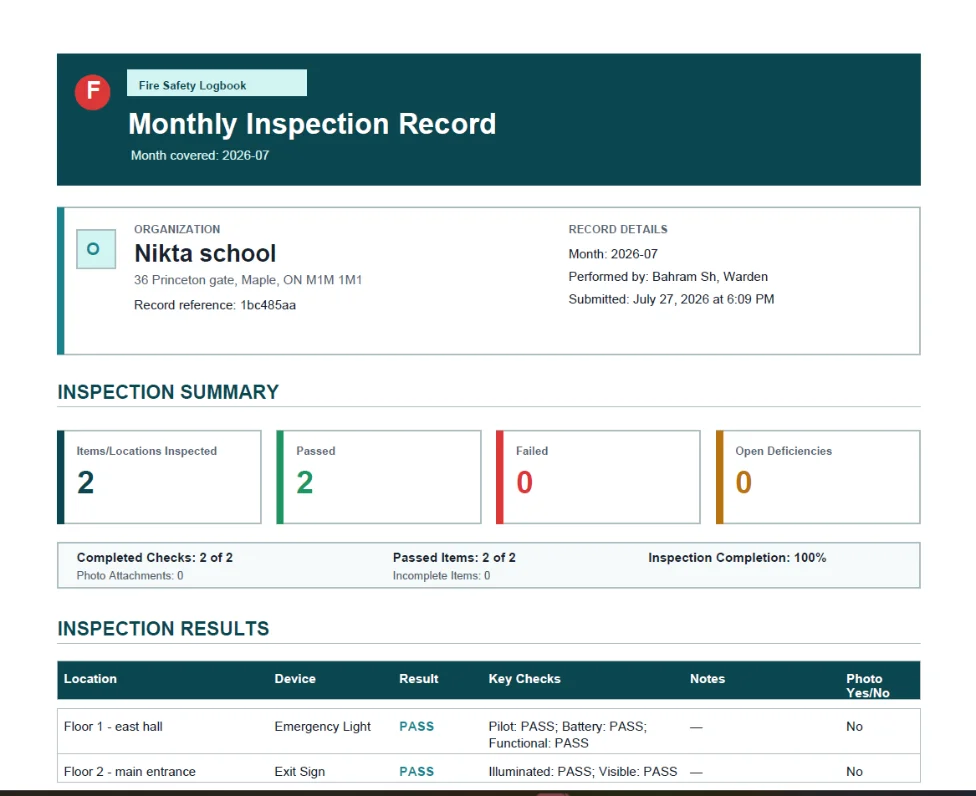
Use NiktaFire to capture pass/fail results, failed-item notes, emergency and exit-light status, location history, photo documentation, and monthly report output.
NiktaFire is built for routine fire-safety recordkeeping, not emergency response, alarm monitoring, contractor work, legal advice, or certification.
Record participation, evacuation timing, observations, notes and corrective actions. Keep drill history alongside recurring fire-safety records and download drill reports.
When enabled for your organization, maintain extinguisher records and monthly checks, and record fire-door and separation checks. These records support follow-up; they do not replace required professional inspections or service.
Organize monthly fire-safety checks so teams can see what has been completed and what still needs attention.
Keep inspection history connected to buildings, floors, rooms, zones, devices, or other practical location groupings.
Record failed items with enough context for follow-up without relying on separate photo folders or handwritten notes.
See due, completed, failed, submitted, and follow-up states in a dashboard built around monthly recordkeeping.
Review previous records by month and location so recordkeeping does not depend on memory or paper binders.
Download organized monthly reports when a record needs to be reviewed, shared, or filed.
Instead of assembling status, notes, photos, and location details from separate sources at the end of the month, NiktaFire keeps those details connected throughout the workflow.
NiktaFire supports organizations that need practical Ontario fire safety recordkeeping without adding a generic task-management platform.
Keep fire drills, recurring checks, deficiencies, photos and downloadable monthly records organized across school locations.
Organize fire drills, recurring checks, photos, deficiencies and monthly records. Explore Ontario childcare recordkeeping.
Give staff and volunteers a clearer workflow for routine recordkeeping across shared facilities.
Track inspections across small commercial and multi-tenant buildings with location-based history.
Niktasoft was established in 2012 and is based in Vaughan, Ontario. NiktaFire is its sole public product focus.
Watch the Demo or contact Niktasoft with your organization, building type, and recordkeeping workflow.