A plain-language definition
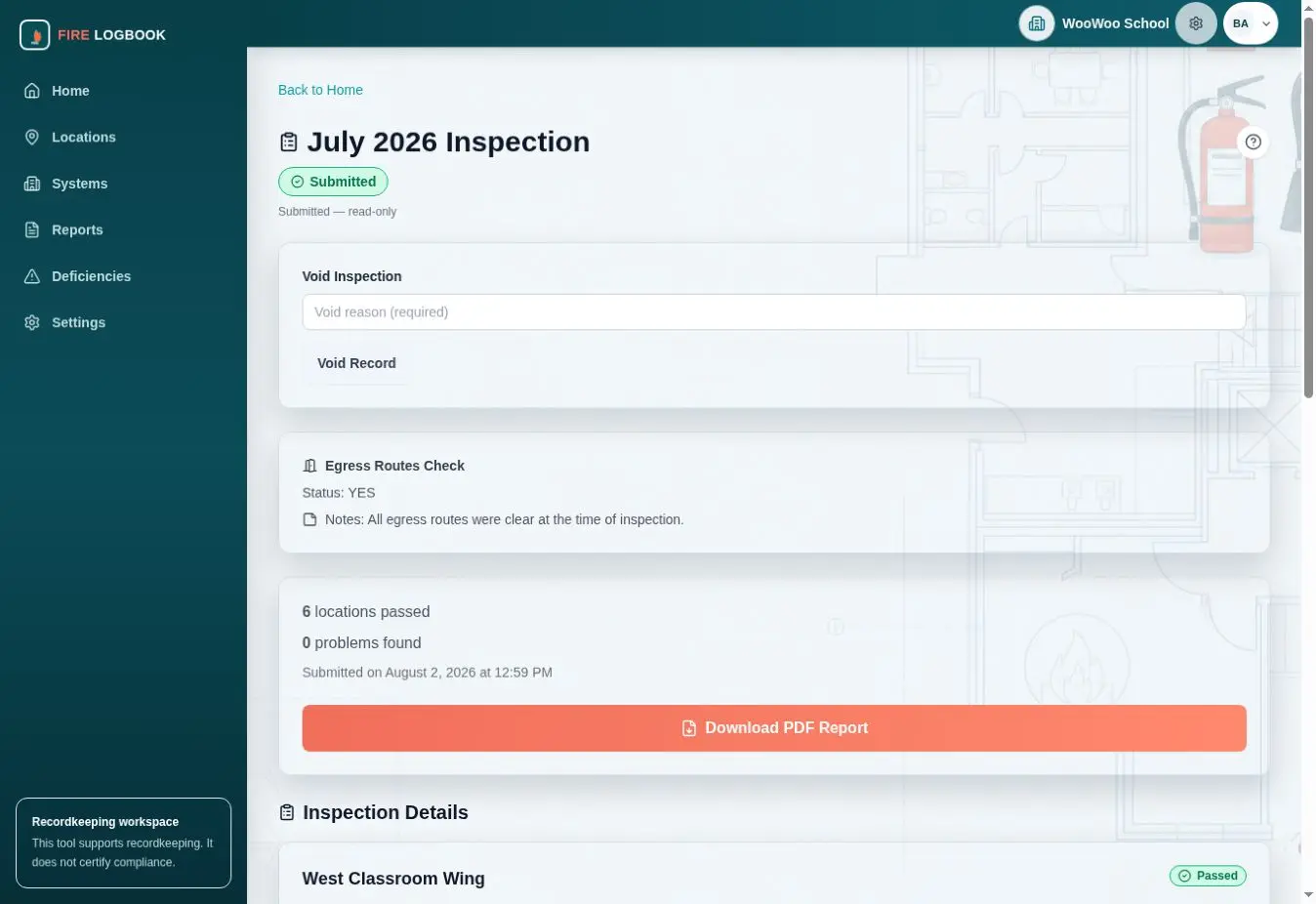
A digital fire logbook is software used to organize recurring fire-safety inspection records. Instead of keeping monthly checks, failed-item notes, photos, and reports in separate paper or spreadsheet systems, the record is created and reviewed in one structured workflow.
Example fields in a monthly inspection record
A useful monthly inspection record should make it clear what was checked, where it was checked, who recorded it, what result was entered, and what follow-up context belongs with the record.
- Organization, building, floor, room, zone, or asset group
- Inspection month, inspection date, and completion timestamp
- Inspection item, category, or checklist question
- Pass, fail, not applicable, pending, submitted, or follow-up status
- Inspector or staff name where the organization chooses to record it
- Failed-item notes, corrective-action notes, and review comments
- Photo references connected to the item or location
- Exported monthly record file name and export date
Paper versus digital recordkeeping
| Recordkeeping need | Paper or spreadsheet workflow | Digital fire logbook workflow |
|---|---|---|
| Finding a past issue | Search binders, folders, messages, or separate spreadsheets. | Review history by month, status, and location. |
| Keeping photos with notes | Photos often live in phones, emails, or shared drives. | Photo references stay connected to the inspection item. |
| Monthly review | Status often has to be collected manually before filing. | Completion and follow-up status can be reviewed before export. |
| Multiple locations | Records may be split across binders or local files. | Locations can be organized in one structure. |
| Exporting records | Teams may scan, assemble, or rename files manually. | Monthly records can be downloaded when ready for review or storage. |
Responsibilities that remain with the organization
Digital recordkeeping does not remove the organization's responsibility to understand applicable requirements, perform inspections, arrange professional service where needed, respond to deficiencies, and retain records outside the software when required by its own policies or obligations.
NiktaFire supports record organization. It does not provide emergency response, alarm monitoring, legal advice, code interpretation, maintenance work, or compliance certification.
A practical transition workflow
- List the buildings, floors, rooms, zones, and equipment groups that need recurring checks.
- Decide which inspection items should appear in each monthly workflow.
- Map current paper forms and spreadsheet columns to the fields the digital record should capture.
- Choose who records checks, who reviews them, and who exports monthly records.
- Run one month in parallel with the current process if the organization needs a cautious transition.
- Review exported records for naming, completeness, and internal filing expectations.
- Keep old records accessible while the digital workflow is introduced.
Export and retention considerations
Before relying on any digital recordkeeping tool, decide where exported records will be stored, who can access them, how files will be named, and how the organization will keep records available outside the app if needed. Exported PDFs can support review and filing, but the organization should still decide its own retention process and backup expectations.
Questions for multiple locations or staff roles
- Can the system separate buildings, rooms, areas, or asset groups in a way staff recognize?
- Can multiple people enter records without overwriting each other's context?
- Can reviewers see pending, failed, submitted, and follow-up items before the month is closed?
- Can staff attach notes and photos without storing them in separate messaging threads?
- Can exports be reviewed before being filed or shared?
- Does the product clearly state what it does not do?
Continue evaluating NiktaFire
Review the NiktaFire product page, compare audience use cases, watch the monthly inspection demo, or contact Niktasoft with your current recordkeeping workflow.